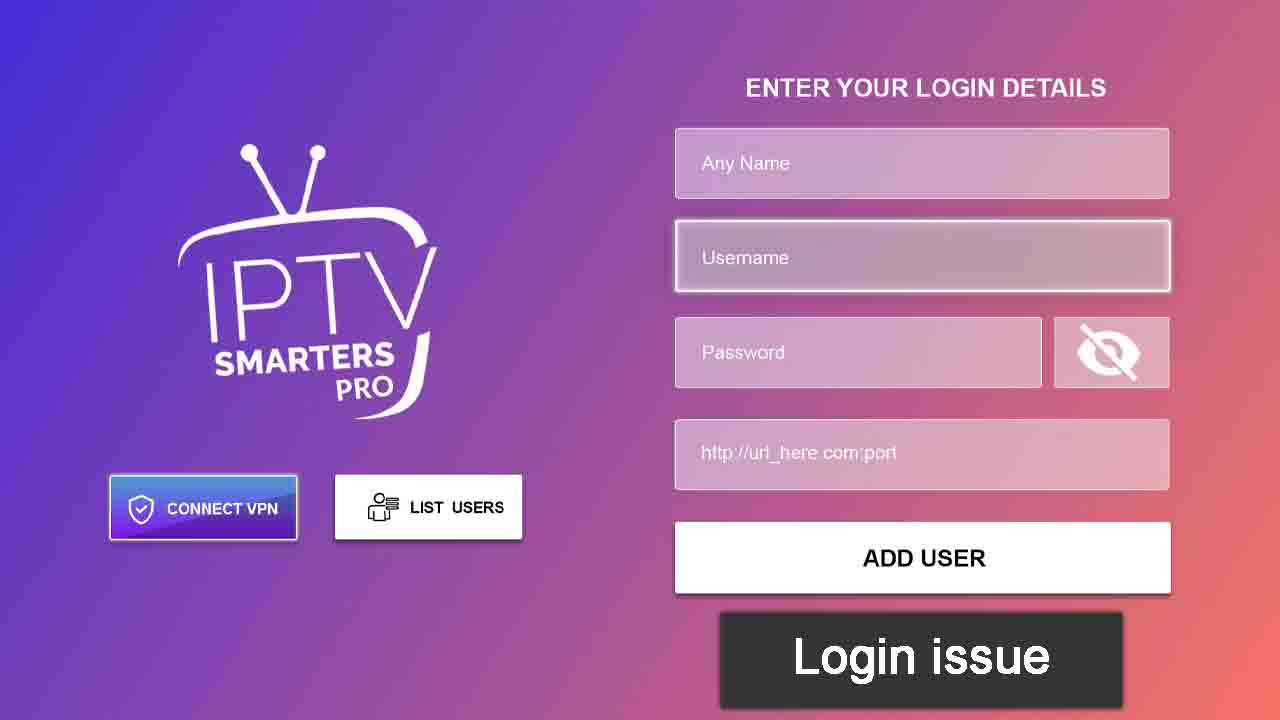
You’re all set for a solid binge session, remote in hand, ready to dive into your IPTV Smarters Pro lineup. But—boom!—the app greets you with a login error, connection failure, or that dreaded ‘Invalid URL’ message. Frustrating, right? Whether you’re facing incorrect login credentials, expired subscriptions, or connectivity issues, these problems can turn a seamless IPTV experience into an absolute nightmare.
But here’s the good news: most of these issues aren’t as complicated as they seem. With the right troubleshooting steps, you can fix them quickly and permanently. This guide, crafted from years of hands-on experience, is your ultimate troubleshooting companion. We’ll cover every possible issue and their expert-backed solutions—so you can get back to watching your favorite channels without a hitch.
Let’s jump straight into it.
Table of Contents
1. Common IPTV Smarters Pro Login Issues & Their Fixes
1.1 Incorrect Login Credentials – The Classic User Error
It sounds obvious, but you’d be surprised how often a simple typo locks people out. IPTV Smarters Pro requires precise login details—one wrong character in your username, password, or M3U URL, and you’re stuck.
✅ Fix it fast:
- Copy and paste your login details instead of typing manually (avoids typos).
- Make sure there are no extra spaces before or after the credentials.
- If using an M3U link, ensure it’s not expired and is formatted correctly.
If nothing works, contact your IPTV provider to reset your credentials—some providers change login details periodically.
1.2 Expired or Inactive Subscription – Are You Still Subscribed?
Many IPTV users forget one thing: your login won’t work if your subscription is inactive. Some providers don’t notify you when your service expires.
✅ Fix it fast:
- Try logging into your IPTV provider’s official website to check your subscription status.
- If your account is inactive, renew your plan immediately.
- Contact support—some providers temporarily suspend accounts due to inactivity.
1.3 Choosing the Wrong Login Method – Are You Using the Right One?
IPTV Smarters Pro allows multiple login methods:
- Xtream Codes API (Most recommended)
- M3U Playlist URL
- Local File Login
Using the wrong one? You won’t get in.
✅ Fix it fast:
- Check which login method your IPTV provider supports.
- If one method fails, try another—some providers disable M3U but keep Xtream Codes active.
- Confirm that your Xtream Codes API URL is accurate—sometimes servers migrate, and old URLs become obsolete.
1.4 Cache & Data Corruption – When the App Itself Fails You
Over time, IPTV Smarters Pro accumulates junk files that can lead to login errors. If your credentials are correct but the app still won’t let you in, the issue may be inside the app itself.
✅ Fix it fast:
- Clear cache & data:
- On Android: Go to Settings → Apps → IPTV Smarters Pro → Storage → Clear Cache & Data.
- On Firestick: Navigate to Settings → Applications → Manage Installed Applications → IPTV Smarters Pro → Clear Cache & Data.
- Restart the app and log in fresh.
1.5 Blocked IP Address – Your Provider Might Be Blocking You
Some IPTV providers restrict logins based on IP location. If you’ve logged in from multiple devices or a different network, your IP might be blacklisted.
✅ Fix it fast:
- Use a VPN—this allows you to bypass IP restrictions.
- Contact your IPTV provider to whitelist your IP address.
- Try switching to mobile data instead of Wi-Fi and attempt logging in again.
2. Common Connection Issues & How to Fix Them
2.1 “Failed to Connect” Error – Server Down or Just You?
If IPTV Smarters Pro refuses to connect, the problem is usually:
✅ Server downtime (Provider issue).
✅ Your internet connection (User issue).
Fix it fast:
- Check if other apps are working—if not, your internet might be down.
- Restart your router and device.
- Try logging in after a few minutes—some providers experience brief server outages.
If your IPTV provider’s server is down, there’s nothing you can do but wait—or switch to a more reliable provider.
2.2 “Invalid URL” or “Invalid Xtream Codes API” – The Wrong Address
This happens when:
- Your provider changed their server URL.
- The link you entered is incorrect.
Fix it fast:
- Confirm the correct URL with your IPTV provider.
- Make sure your Xtream Codes API or M3U link is updated.
- If entering a long URL, copy-paste it instead of typing.
2.3 Buffering & Freezing – Why Won’t the Stream Run Smoothly?
If your IPTV constantly buffers, the issue isn’t always your internet speed.
Fix it fast:
✅ Use Ethernet instead of Wi-Fi—a wired connection is always more stable.
✅ Lower the stream quality inside IPTV Smarters Pro.
✅ Close background apps—other apps may be hogging your bandwidth.
✅ Test your internet speed—if it’s below 10 Mbps, streaming may struggle.
2.4 VPN Problems – Sometimes It Helps, Sometimes It Hurts
While a VPN helps bypass restrictions, some IPTV providers block VPN traffic, causing login failures.
Fix it fast:
- Try turning off your VPN and logging in again.
- If you need a VPN, switch servers to a different location.
3. Advanced Fixes When Nothing Else Works
If none of the standard solutions worked, it’s time for serious troubleshooting.
3.1 Reinstall IPTV Smarters Pro – Start Fresh
- Uninstall the app completely.
- Download the latest version from a trusted source (Google Play, Firestick, etc.).
- Reinstall and log in again.
3.2 Try a Different IPTV Player
If IPTV Smarters Pro keeps failing, the issue might not be you—it might be the app itself.
✅ Alternatives to Try:
- TiviMate (Premium experience, highly customizable).
- OTT Navigator (Great free alternative).
- Perfect Player (Minimalistic, lightweight).
Final Thoughts
Troubleshooting IPTV Smarters Pro doesn’t have to be frustrating. Most login and connection errors have quick fixes—whether it’s double-checking your credentials, clearing the cache, updating URLs, or switching internet connections.
🚀 Key Takeaways:
- Verify login details & ensure your subscription is active.
- Check your internet speed & restart your router if needed.
- Use a VPN wisely—but not if your provider blocks it.
- Reinstall the app or switch to another IPTV player if all else fails.
If you’re still struggling after trying everything, it might be time to switch to a better IPTV provider.
Now, get back to streaming! 🎬🔥
IPTV Smarters Pro FAQ
1. My IPTV Smarters Pro works fine in the morning, but by evening, it’s buffering like crazy. What’s happening?
Oh, you’re in the prime-time traffic jam.
✅ Here’s the deal:
- Your IPTV provider is overloaded—just like highways get clogged at 6 PM, so do IPTV servers.
- Your ISP might be throttling your connection because it detects IPTV traffic (yeah, they do that).
- If you’re using Wi-Fi, guess what? Your neighbors are all streaming Netflix, hogging the bandwidth.
🔥 Try this:
- Switch to a different server or stream at a lower quality (yes, 1080p is sexy, but sometimes you gotta drop to 720p to keep things moving).
- Restart your router—ISPs sometimes free up bandwidth for fresh connections.
- Test your VPN—some VPN servers are SLOWER than raw internet. Play around.
2. I enter my login details, and IPTV Smarters Pro keeps saying “Invalid Credentials.” I KNOW they’re right! WTF?
I hear the frustration—nothing’s more annoying than being locked out when you KNOW you’re right.
✅ Let’s check the real reasons:
- Some IPTV providers auto-reset passwords without warning. (Check your email, you might’ve missed the update.)
- The Xtream Codes API you’re using could be outdated—providers change URLs sometimes.
- Your IP address changed, and the IPTV service flagged it. Happens more often than you’d think.
🔥 Try this:
- Copy-paste your details. Do NOT type manually. (Invisible spaces are sneaky.)
- Log in with M3U URL instead of Xtream Codes API—sometimes one works while the other doesn’t.
- Contact your provider—they might’ve changed your credentials without telling you.
3. IPTV Smarters Pro works on my phone, but not on my Firestick. Why?!
The universe works in mysterious ways, but this one? Not so mysterious.
✅ Likely culprits:
- Your Firestick is running low on RAM—IPTV Smarters Pro needs a bit of breathing room.
- Your provider blocked Firestick logins (some providers hate streaming boxes).
- The app version on Firestick is outdated—Amazon doesn’t always push updates like Play Store does.
🔥 Fix it like a pro:
- Clear the app cache on Firestick: Settings → Applications → IPTV Smarters Pro → Clear Cache & Data.
- If that doesn’t work? Uninstall & reinstall the app—fresh starts fix more than you think.
- Test another IPTV player (TiviMate, Perfect Player)—if those work, the issue is with IPTV Smarters Pro.
4. Why do some channels play fine, but others just spin and never load?
This is the IPTV equivalent of some lights working and others flickering in a haunted house.
✅ What’s really going on:
- The channel’s server is down or overloaded.
- Your provider rotates channel URLs but forgot to update your playlist.
- The IPTV Smarters Pro app is loading old cache instead of fresh data.
🔥 Here’s what to do:
- Update your M3U playlist (re-download it from your provider).
- Force refresh your EPG (Settings → EPG → Refresh).
- Switch to a different IPTV player—if the same channel works elsewhere, IPTV Smarters Pro is acting up.
5. My ISP is blocking my IPTV connection. How do I punch through?
Now we’re talking. ISPs love to play the silent police—blocking IPTV traffic but pretending they’re not.
✅ What they do:
- Detect IPTV packets and throttle them.
- Completely block Xtream Codes API connections.
- Prioritize mainstream streaming (YouTube, Netflix) over IPTV traffic.
🔥 Your weapons against ISP blocking:
- VPN, VPN, VPN. (NordVPN, Surfshark, ExpressVPN—they hide your IPTV traffic).
- Change DNS settings to Google DNS: 8.8.8.8 / 8.8.4.4 (sometimes works like magic).
- Test IPTV on mobile data—if it works, your ISP is guilty. Time to mask up.
6. Why does my IPTV Smarters Pro randomly log me out?
You’re watching, everything’s fine, and then—bam!—you’re back at the login screen. What gives?
✅ Possible reasons:
- Your IPTV provider kicks inactive sessions after X hours.
- Your IP changed mid-session (some VPNs do this).
- Your IPTV plan only allows one device, and another device just logged in.
🔥 Here’s what you can do:
- Contact your IPTV provider—ask if they allow multiple logins.
- Try a static IP VPN (some VPNs let you keep the same IP to avoid being booted).
- Stay active—some providers log out users if they think you’re idle for too long.
7. Can IPTV Smarters Pro record shows?
Yes… but it’s not perfect.
✅ Here’s the catch:
- Android & Firestick only (iOS users, you’re out of luck).
- You need free storage space (and most Firesticks have barely any).
- Some IPTV providers disable recording on their streams.
🔥 Pro tip:
- If recording doesn’t work, try TiviMate—it has better recording options.
8. Can I install IPTV Smarters Pro on Roku?
Short answer? No.
Long answer? Still no, but there are workarounds.
✅ What you CAN do:
- Screen mirror from your phone to Roku (not great, but it works).
- Use a third-party IPTV player on Roku (like IPTV Streamer Pro).
🔥 Better alternative:
Get a Firestick or Android box. Roku is just not built for IPTV.